
The AI that reads your confidential files.
And tells no one.
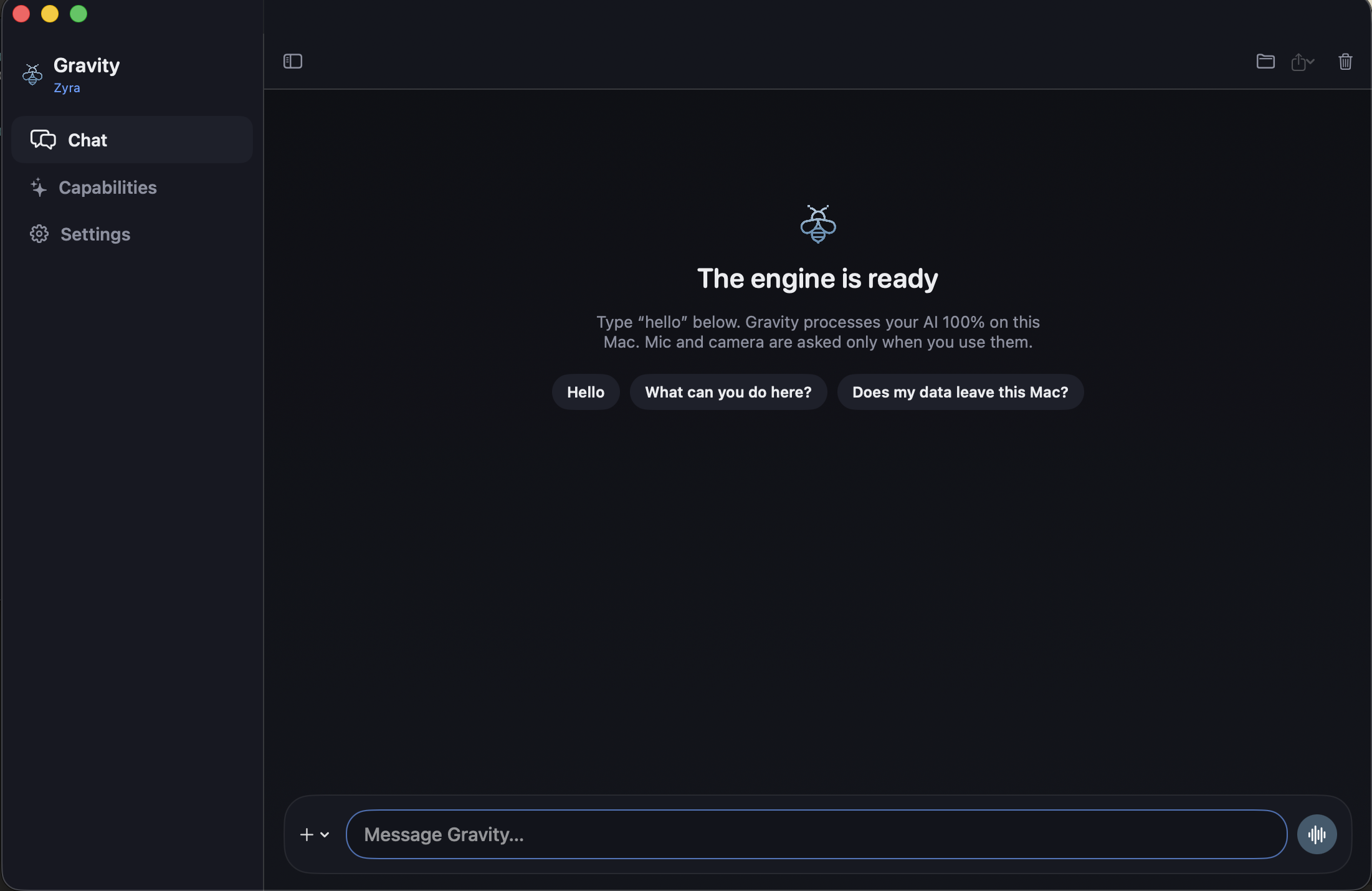
Gravity is a private AI assistant that lives on your Mac. Your documents and conversations stay on your Mac. The only exception is the optional web search, and you turn it on yourself.
✓ 1-year license (1 Mac) · 14-day money-back guarantee · macOS Sonoma & Sequoia
 🔍 Click to expand
You can't paste this into a chatbot.
Every profession has documents too sensitive for the cloud. You know the ones — you hesitate before pasting, then close the tab.
The Lawyer
"A client's merger contract with a competing firm. 200 pages of privileged terms you need to review by morning."
Pasting it into ChatGPT risks waiving attorney-client privilege. You read it manually at 2 AM instead.
The Doctor
"A patient's full medical history — lab results, diagnoses, medications — that you need to cross-reference before a procedure."
Uploading it to a cloud AI is a potential regulatory violation. You spend an extra hour doing it by hand.
The Journalist
"A source's leaked documents that could expose corruption. Thousands of pages you need to search and cross-reference."
Any cloud upload creates a metadata trail back to your source. You can't risk it.
Gravity runs entirely on your Mac. Now you can use AI on the documents you were never willing to upload.
Everything happens inside your Mac.
When you install Gravity, it downloads an AI model onto your Mac. Once. After that, it works with no internet at all.
Install
Open a small installer. Gravity downloads and compiles the AI model directly onto your Mac's memory.
Disconnect
Turn off Wi-Fi. Put your Mac in airplane mode. Gravity still works — no internet required for reasoning.
Work privately
Drop in your documents. Ask questions. Dictate notes. Everything stays in your Mac's memory, period.
"You can unplug the cable and it still answers. That's the whole point."
Ask. Speak. Remember.
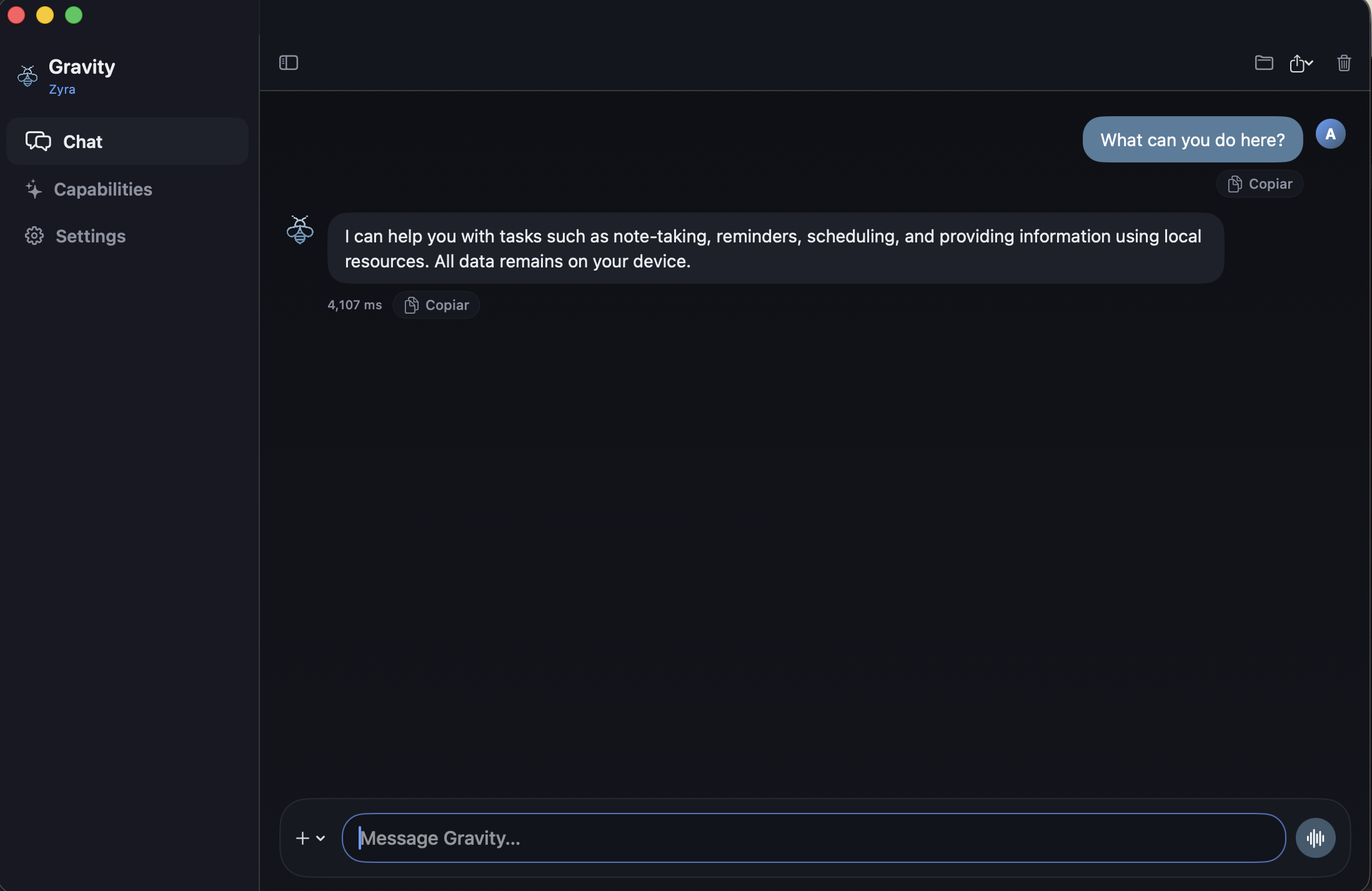
Four things Gravity does, shown with the real app — no mockups, no renders.
Drop in any document
Contracts, financial reports, research papers, medical records. Drag the file in, ask a question, and get answers. The file never leaves your Mac.
Talk instead of type
Dictate notes, meeting summaries, or clinical observations. On-device voice transcription means your audio never touches external servers.
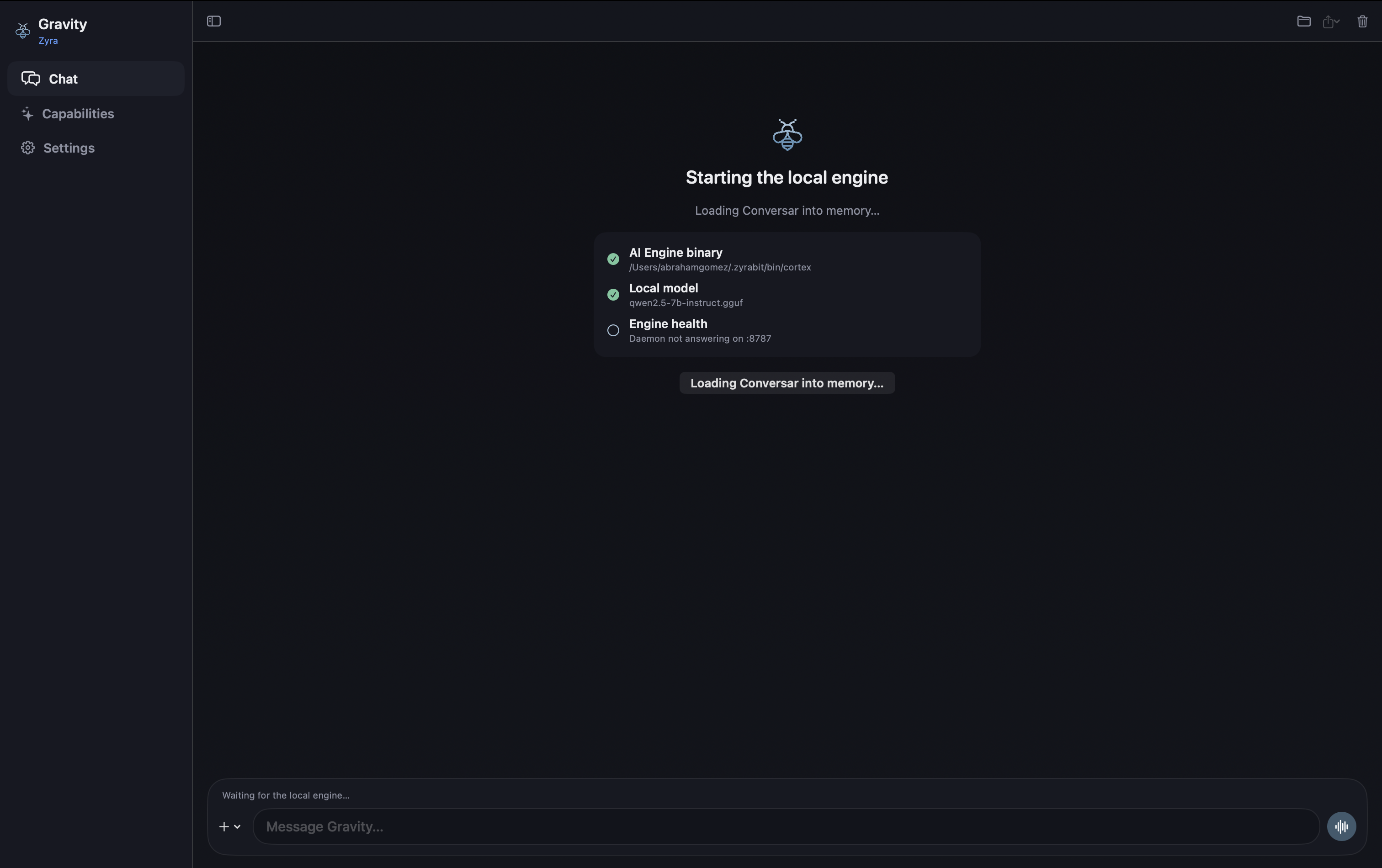
Runs entirely on your hardware
Gravity loads the AI model into your Mac's memory. No cloud servers, no API calls, no token limits. Your Mac does the thinking.
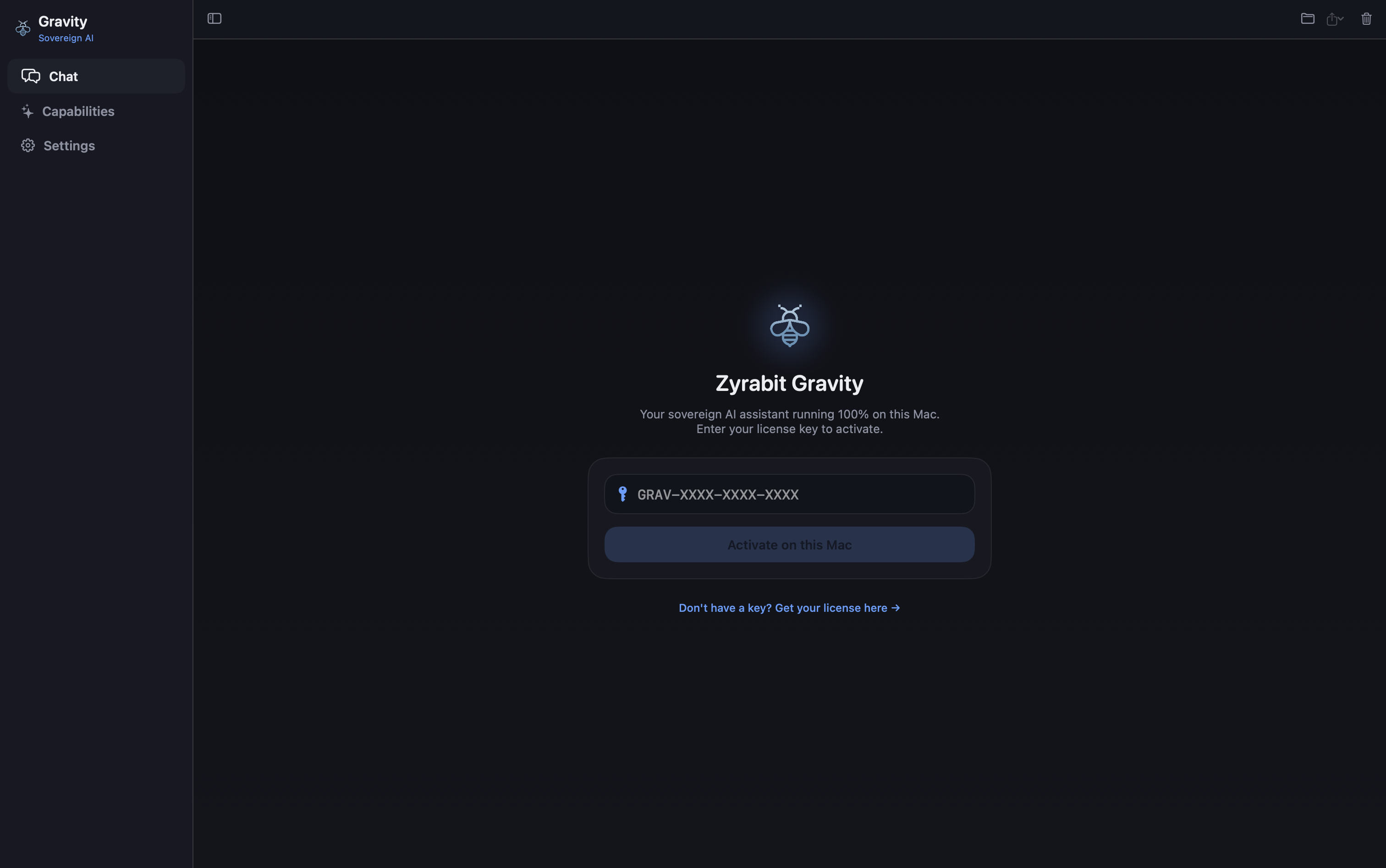
Setup in seconds
Drag to Applications. Enter your license key. No accounts, no cloud sign-ups, no tracking. You're working privately in under a minute.
Note: Gravity is a local analysis and productivity assistant. It does not substitute licensed legal, medical, or accounting counsel. On-device execution keeps files local, but does not independently certify compliance with HIPAA, legal ethics rules, or other regulations without your organization's own protocols.
What can your Mac run?
Gravity automatically selects the best model your hardware can handle. More memory means larger models and longer documents.
Your Mac does the thinking — no cloud required.
| Apple Silicon Mac | Recommended Model Size | Context Window | Status & Expected Workload |
|---|---|---|---|
| M1 / M2 · 8–16 GB | 3B – 7B | 4k – 8k tokens | ● Tested: Fast chat, short contracts, notes |
| M2 Pro / M3 · 16–24 GB | 7B – 14B | 8k – 16k tokens | ● Tested: Corporate contracts, briefs & audio memos |
| M3 Pro / M4 Pro · 24–48 GB | 14B – 32B | 16k – 32k tokens | ● Tested: Multi-document legal discovery & research |
| M4 Max / M5 Ultra · 64 GB+ | 32B – 70B+ | 32k – 128k tokens | ● Projected: Complex codebases & large portfolios |
Don't take our word for it.
Verify it yourself. The runtime is open source, the guarantee is real, and the hardware table is honest.
Open Source Runtime
The core AI engine is published on GitHub and Docker Hub. Inspect every line of code that touches your data.
14-Day Money-Back Guarantee
Try Gravity risk-free. If it doesn't meet your expectations within 14 days, email us for an immediate full refund. No questions asked.
$99 a year. One Mac. Everything included.
No token meters. No per-prompt charges. Unlimited private AI on your Mac.
Annual License
$99 / year
1-year license · 1 Mac · Apple Silicon
- ✓ Gravity for 1 Mac (Apple Silicon: M1–M5)
- ✓ Document analysis, voice transcription & reasoning
- ✓ 1 full year of software updates
- ✓ Local-first processing — your files stay on your Mac
- ✓ No account creation, no cloud sign-up
- ✓ 14-day 100% money-back guarantee
Stripe checkout · License key & download delivered instantly
Issued by ZYRABIT LTD · Registered in England and Wales, London.
License terms and refund policy: see Terms & Conditions.
Need more than one Mac?
Volume licensing, centralized MDM deployment, or custom on-premise configurations for your team. Talk to us directly.
Frequently Asked Questions
Straight answers about privacy, licensing, and how Gravity works.
Do my confidential documents leave my Mac? ▾
Every document you attach, audio you dictate, or question you ask is processed directly on your Mac's hardware. Your data is not transmitted to remote servers and never used to train AI models.
Where do I get my license key and download after purchase? ▾
Immediately after checkout via Stripe:
- Your license key and download button appear instantly at gravity.zyrabit.com/success.
- A backup with your invoice and setup guide is sent to your email.
- You can also download the DMG at any time from downloads.zyrabit.com.
Does Gravity work offline? ▾
Once the AI model is loaded on first launch, you can use Gravity on flights, in secure rooms, or completely off-grid.
The only feature that uses the internet is the optional web search, which queries public search results only when you explicitly ask for it.
On how many Macs can I use my license? ▾
If you buy a new Mac, you can transfer your license by activating it on the new machine. For multi-seat deployments, contact [email protected].
What hardware and macOS version do I need? ▾
- Chip: Apple Silicon (M1, M2, M3, M4, or M5) — Base, Pro, Max, or Ultra.
- OS: macOS 14 (Sonoma) or macOS 15 (Sequoia) and newer.
- Memory: 8 GB Unified Memory minimum (16 GB+ recommended).
- Storage: ~5 GB disk space for the local model.
What if I lost my license email? ▾
Visit gravity.zyrabit.com/success, enter the email you used at checkout, and your active license key will be re-sent within seconds.
What is your refund policy? ▾
If Gravity does not meet your expectations, email us at [email protected] within 14 days of purchase and we will issue a full refund immediately.